

Smart doorbells can add convenience and security to your home, allowing you to see and speak with visitors from your phone without opening the door. Some models, however, push you toward paid cloud storage plans to save video clips. Fortunately, there are several excellent smart doorbells that work well without a subscription. Many options offer local storage, basic alerts, and built-in features that let you enjoy smart home benefits without ongoing fees or unexpected costs.
Why Choose a Subscription-Free Smart Doorbell
Many smart doorbells offer cloud storage for recorded video, but that often comes with a monthly fee. Choosing a subscription-free option means you keep control of video storage and alerts without paying extra each month. For many homeowners and renters, this can be a more affordable and straightforward way to enjoy smart security features.
Subscription-free doorbells still offer useful tools like motion detection, live video streaming, and two-way talk. You may use a local microSD card, connect to your home network storage, or save footage directly to your phone. This gives you flexibility and peace of mind without long-term commitments.
Eufy Security Video Doorbell: Local Storage and Smart Alerts
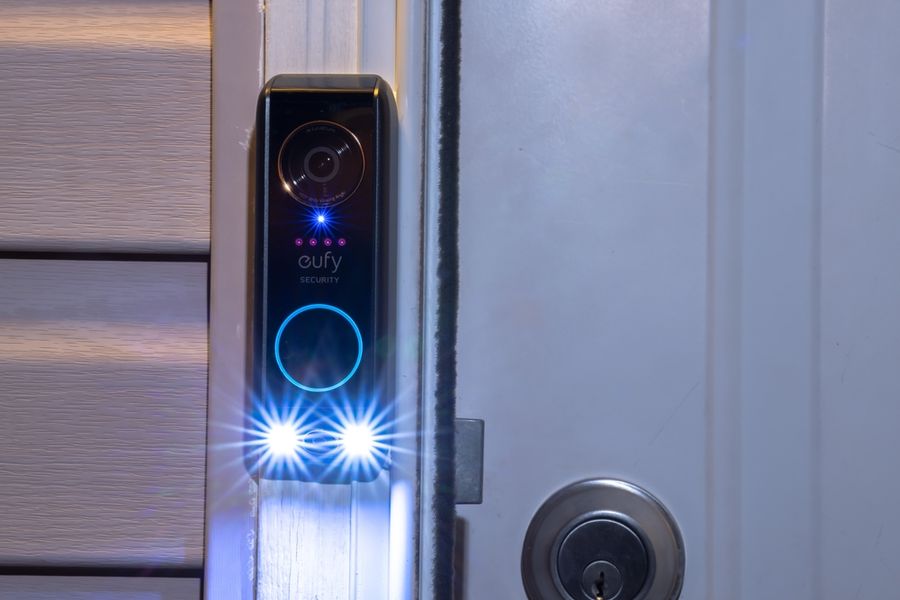
Eufy Security doorbells are well known for offering local storage options, which means you can keep video clips on a home base station or internal memory without a subscription. These doorbells include motion detection, live video, and two-way audio, giving you many of the same features as subscription-based models.
The local storage setup keeps your data close to home, rather than in the cloud, and many users find this more private and secure. Alerts are sent directly to your smartphone, and you can watch recorded clips whenever you need. Whether someone rings the bell or motion is detected, you stay connected with what’s happening at your front door.
Wyze Video Doorbell: Simple Features With Local Backup
The Wyze Video Doorbell is another solid choice for people who want smart doorbell capabilities without a subscription. Wyze offers optional cloud storage, but local recording via a microSD card is supported on compatible devices. This means you can save video clips without paying a monthly fee.
The Wyze doorbell provides basic motion alerts, live video feed, and two-way communication through the app. Its ease of setup and simple controls make it ideal for renters or first-time smart device users. While some advanced features are tied to paid plans, the core functions needed for everyday monitoring work well without ongoing charges.
Amcrest Video Doorbell: Local and NAS Storage Options
Amcrest smart doorbells are designed with flexible video storage in mind. They support local microSD cards and network-attached storage (NAS), so you can choose how and where to keep your recordings. This flexibility makes Amcrest a strong option for people who wish to avoid cloud subscription fees entirely.
In addition to local storage, Amcrest doorbells provide motion alerts, live video viewing, and two-way talk. The app lets you access footage easily and set up alert zones. Having multiple storage options means you can tailor the system to your home setup, whether you prefer physical cards or network storage.
Key Features to Look For in Subscription-Free Models
When choosing a smart doorbell that doesn’t require a subscription, pay attention to how video storage works. Local storage via microSD cards is common and effective, but some models also support connections to home network drives. Make sure the doorbell you choose supports storage options that fit your needs.
Motion detection is another feature to consider. Smart movement alerts help you know when someone approaches your door, even if they don’t ring the bell. Two-way audio lets you speak with visitors through your phone, which adds both security and convenience.
Check how alerts are delivered as well. Most subscription-free models send notifications directly to your device when motion is detected or the doorbell rings. Clear alerts and easy access to live video help you stay aware of what’s happening outside your home.
Installation and Compatibility Considerations
Some smart doorbells require existing doorbell wiring, while others work wire-free with battery power. If you rent, a battery-powered model may be easier to install without drilling or wiring changes. Wired models often offer continuous power, so you don’t need to recharge batteries.
Before buying, make sure the doorbell you choose works with your home Wi-Fi network. Most models connect to standard Wi-Fi, but it’s important to check compatibility to ensure smooth performance. Also consider whether you want integration with smart home systems, like voice assistants or home automation hubs.
Smart Features Without Ongoing Fees
Smart doorbells can make your home feel safer and more connected, even without paid subscriptions. By choosing models that support local storage or network drives, you gain control over your data and avoid monthly fees.
Options from Eufy, Wyze, and Amcrest offer reliable motion alerts, live video, and two-way communication — all without needing a cloud plan. With careful selection and proper setup, you can enjoy smart doorbell convenience and peace of mind without ongoing costs.