

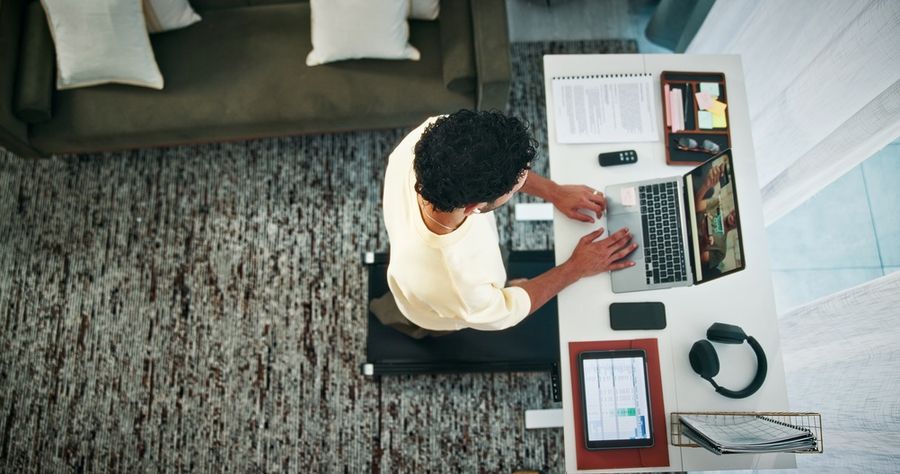
Desk treadmills used to be judged mostly by one question: how many steps can they help you add during the workday? That still matters, but newer models are being evaluated in broader ways. App tracking, quiet motors, foldable frames, incline walking, safety shutoffs, wider decks, and better workday usability are becoming just as important. For home-office users, the best desk treadmill is no longer just a step machine. It is part of a more flexible movement setup.
Why Step Counts Are No Longer The Whole Story
A high step count can be motivating, but it does not tell the full story of whether a desk treadmill fits your life. A model that helps you hit 10,000 steps may still be frustrating if it is too loud for calls, too narrow for your stride, too heavy to move, or too hard to store after work. The quality of the walking experience matters because the goal is not one impressive day of movement. The goal is a routine you can repeat.
That is why newer desk treadmill conversations focus on comfort, data, and integration. A treadmill that tracks distance, speed, time, and workout history gives users more context than a step total alone. A model with app support may help organize progress over time. A treadmill with incline can change the feel of a slow walk. A wider deck can make multitasking feel more natural. These features move the category beyond simple counting and toward better daily usability.
Comparing Top Desk Treadmills
There are several popular models worth comparing:
|
Model |
Best For |
Beyond-Step Feature |
Workday Advantage |
Main Trade-Off |
|---|---|---|---|---|
|
WalkingPad Z1 |
Small spaces and fold-away storage |
KS Fit app support and foldable frame |
Easy to store after work |
Walking-only speed range |
|
LifeSpan TR1200-GlowUp |
Frequent home-office walking |
Integrated step counting and Intelli-Guard safety technology |
Built for longer desk sessions |
Larger footprint than compact walking pads |
|
InMovement Unsit |
Dedicated office setups |
Wider deck, app tracking, and office-focused design |
More natural stride while working |
Less portable than slim walking pads |
|
UREVO Strol 2E |
Users who want walking and light running modes |
App compatibility and 2-in-1 foldable design |
Can shift from under-desk walking to open running |
Not as specialized for all-day office use |
|
Egofit Walker Pro-M1 |
Compact incline walking |
Fixed incline and app/remote control options |
More challenge at slower speeds |
Shorter deck may not suit long strides |
|
DeerRun Smart Walking Pads |
App-driven workouts and gamified tracking |
PitPat app connection, challenges, and data tracking |
Adds variety beyond basic walking |
App experience may matter more than hardware simplicity |
WalkingPad Z1: A Storage-Friendly Choice For Small Offices
The WalkingPad Z1 is a good example of how desk treadmills are evolving around space constraints. Its main appeal is not just that it helps users walk more, but that it folds for storage and supports app-connected tracking. For apartment dwellers, hybrid workers, and anyone sharing a multipurpose room, that storage story matters. A treadmill that disappears after the workday is easier to keep in the routine than one that permanently takes over the floor.
The Z1 is best for people who want a walking-first setup rather than a full treadmill replacement. Its speed range is designed for under-desk use, so it is not the right choice for someone who wants intense workouts during lunch. The advantage is focus. It gives users a practical way to add low-intensity movement while typing, taking calls, or reading, then fold the unit away when the room needs to become a living space again.
LifeSpan TR1200-GlowUp: A Workhorse For Longer Desk Sessions
The LifeSpan TR1200-GlowUp is more office-oriented than many compact walking pads. Its value comes from a more substantial platform, integrated step counting, and safety-focused technology such as Intelli-Guard, which is designed to stop the belt when the user steps away. Those features matter for people who plan to walk regularly during work instead of occasionally pulling out a compact pad.
This model makes sense for frequent users who care about stability, routine, and workstation compatibility. It is less about being the smallest possible treadmill and more about supporting a repeatable active-office habit. The trade-off is that a more substantial under-desk treadmill usually requires more dedicated space. For someone who has a permanent standing desk setup, that may be worthwhile. For someone who needs to slide equipment under a couch every evening, a folding model may be more realistic.
InMovement Unsit: A Wider Deck For Focused Work
The InMovement Unsit is designed more like office equipment than a casual walking pad. Its standout feature is the wider deck, which can help users walk more naturally while working. That is important because desk walking is not the same as gym walking. You are often reading, typing, talking, or concentrating, so a cramped belt can become distracting. A wider surface may make the experience feel more stable and less mentally demanding.
Unsit also leans into app-connected tracking, including steps, distance, calories, time, and speed. That puts it squarely in the category of desk treadmills moving beyond basic step counting. It is best suited for someone who has the room and intention to build a real walking workstation. Its main limitation is portability. This is not the easiest model to tuck away in a small apartment, but it may be more comfortable for longer, more consistent work sessions.
UREVO Strol 2E: A Flexible 2-In-1 Option
The UREVO Strol 2E is useful for people who do not want a desk treadmill that only works under a desk. Its 2-in-1 design allows slower walking when the frame is folded and faster use when opened for running or more active workouts. That flexibility makes it appealing for users who want one machine to support workday movement and separate exercise sessions.
Its app compatibility and dual-use design help it move beyond simple step counting. Instead of being only a passive walking pad, it can serve different parts of the day: easy walking during work, quicker movement when the desk is no longer involved, and basic performance tracking through connected tools. The trade-off is specialization. A 2-in-1 model may not feel as purpose-built for long desk sessions as a dedicated office treadmill, but it may be better for users with limited room for multiple machines.
Egofit Walker Pro-M1: Incline Walking In A Compact Frame
The Egofit Walker Pro-M1 stands out because of its fixed incline. That makes it different from many flat walking pads that focus only on step volume. An incline can make slow walking feel more challenging without requiring higher speed, which may be useful when someone wants more effort while still staying within a desk-friendly pace. For users who find flat walking too passive, this can be a meaningful upgrade.
The Pro-M1 is also compact and designed for standing-desk use, which helps it fit into smaller workspaces. Its app and remote-control options add convenience, though the small form factor may not suit every user. People with longer strides may prefer a larger deck. Still, for compact rooms and shorter walking sessions, the incline feature gives it a distinct role in the category.
DeerRun Smart Walking Pads: App-Driven Motivation
DeerRun’s smart walking pads are worth discussing because of their connection to the PitPat app ecosystem. This adds a more game-like layer to the walking experience, including connected data, challenges, and guided or virtual workout features depending on the setup. For some users, that layer may make walking more engaging than watching a step number climb.
This kind of treadmill is best for someone who enjoys app-based motivation. The hardware still has to meet basic needs such as comfort, belt size, noise level, and storage, but the software becomes part of the appeal. The trade-off is that app-centered features are only useful if the user actually likes the app. For someone who wants a simple remote and no extra platform, a less connected model may be a better fit.
How To Choose The Right Desk Treadmill
The best desk treadmill depends on how you plan to use it. For short walking breaks in a small apartment, foldability may matter more than app features. For daily work sessions, deck width, noise, stability, and safety features may matter more. For users who want workouts outside office hours, a 2-in-1 model may make more sense than a strictly under-desk unit.
It also helps to think about your work style. People who take many video calls may need the quietest and most stable option they can fit. People who mostly read, edit, or answer email may be comfortable with a compact walking pad. People who need motivation may benefit from app history, goals, or challenges. The right choice is the one that removes friction, not the one with the longest feature list.
Beyond Steps, The Real Goal Is Consistency
Desk treadmills are evolving because users are asking for more than a number at the end of the day. Steps still matter, but comfort, safety, storage, app tracking, incline, and workday practicality now shape whether a treadmill becomes part of daily life. A machine that is easy to use three or four days a week is more valuable than one that sounds impressive but stays folded in a corner.
For small spaces, the WalkingPad Z1 is a practical storage-focused choice. For frequent desk walking, the LifeSpan TR1200-GlowUp and InMovement Unsit offer more office-oriented designs. For flexibility, the UREVO Strol 2E and Egofit Walker Pro-M1 add dual-use or incline appeal. For app-driven motivation, DeerRun’s PitPat-connected models may keep things more engaging. The best option is not just the one that counts steps, but the one that helps movement fit naturally into the workday.
We created this article in conjunction with AI technology, then made sure it was fact-checked and edited by an TheInsiderScoop editor.